
Your show's already in there.
Search for your show and the whole schedule lands in your diary, whether you're in the West End or on tour. If a venue hasn't published a time yet, we'll say "times TBC" rather than guess.
For chairs and deps
Deps sorted. Drama optional.
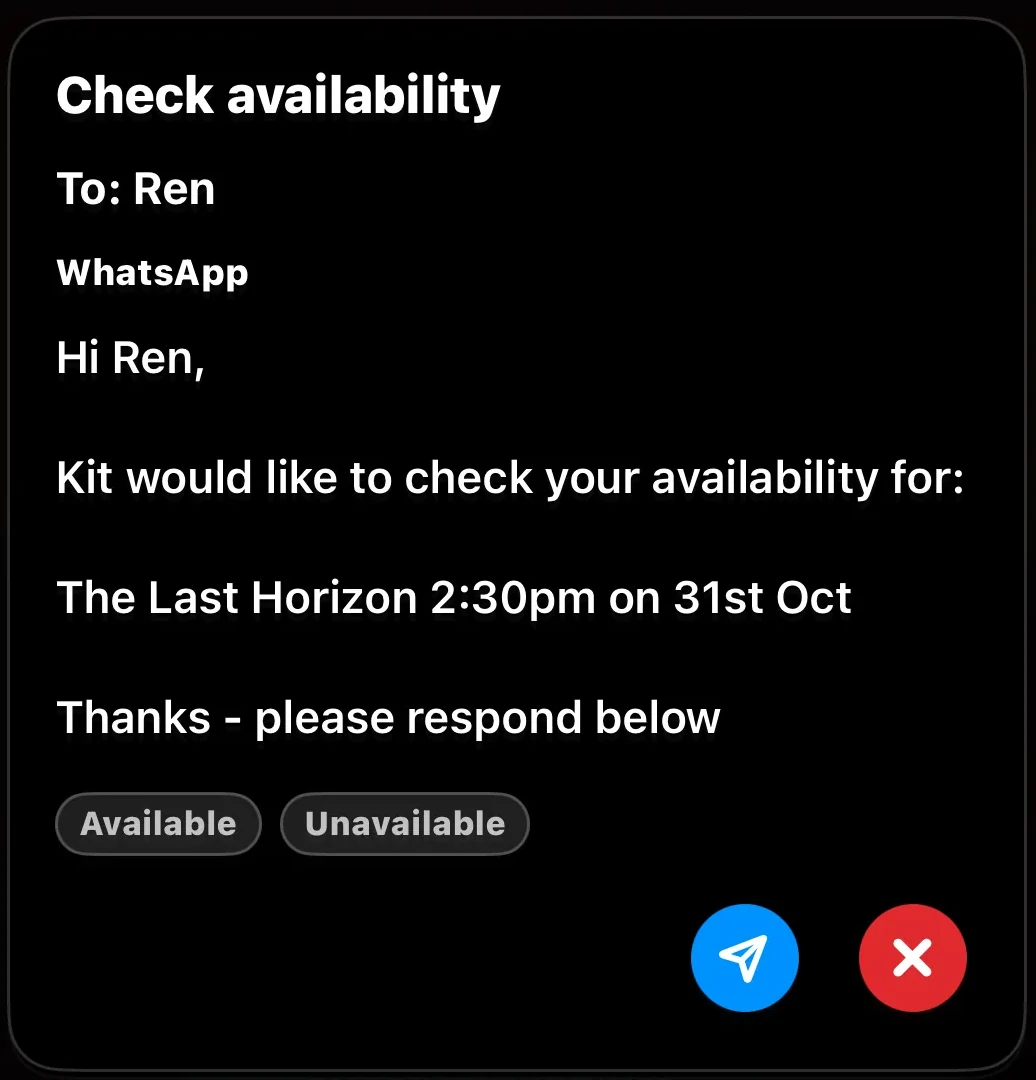
Need a night off? Pick the show, pick your dep, and ShowBuz sends the message for you. They reply in the app or on WhatsApp, and it shows up in both your diaries. No more scrolling back through chats to check who said yes.

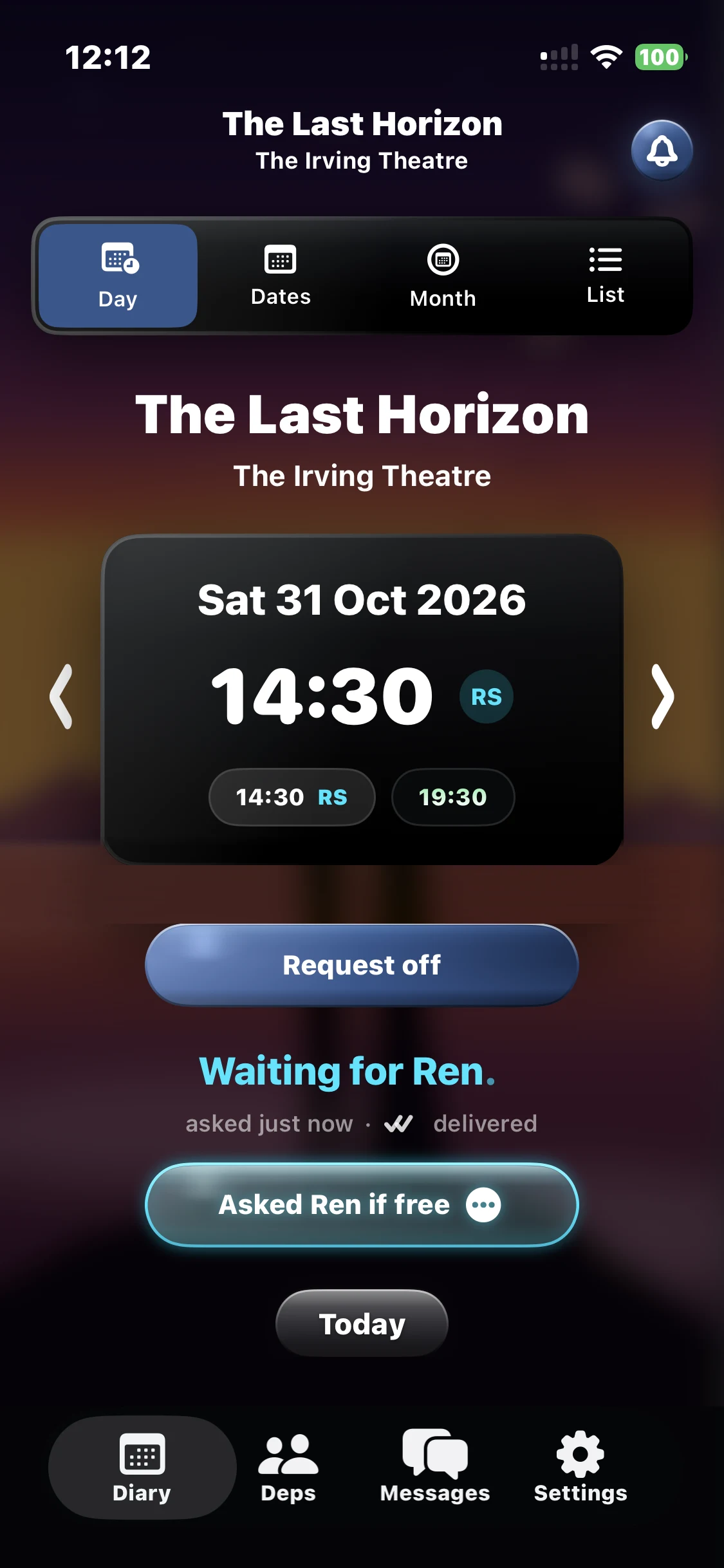
Search for your show and the whole schedule lands in your diary, whether you're in the West End or on tour. If a venue hasn't published a time yet, we'll say "times TBC" rather than guess.
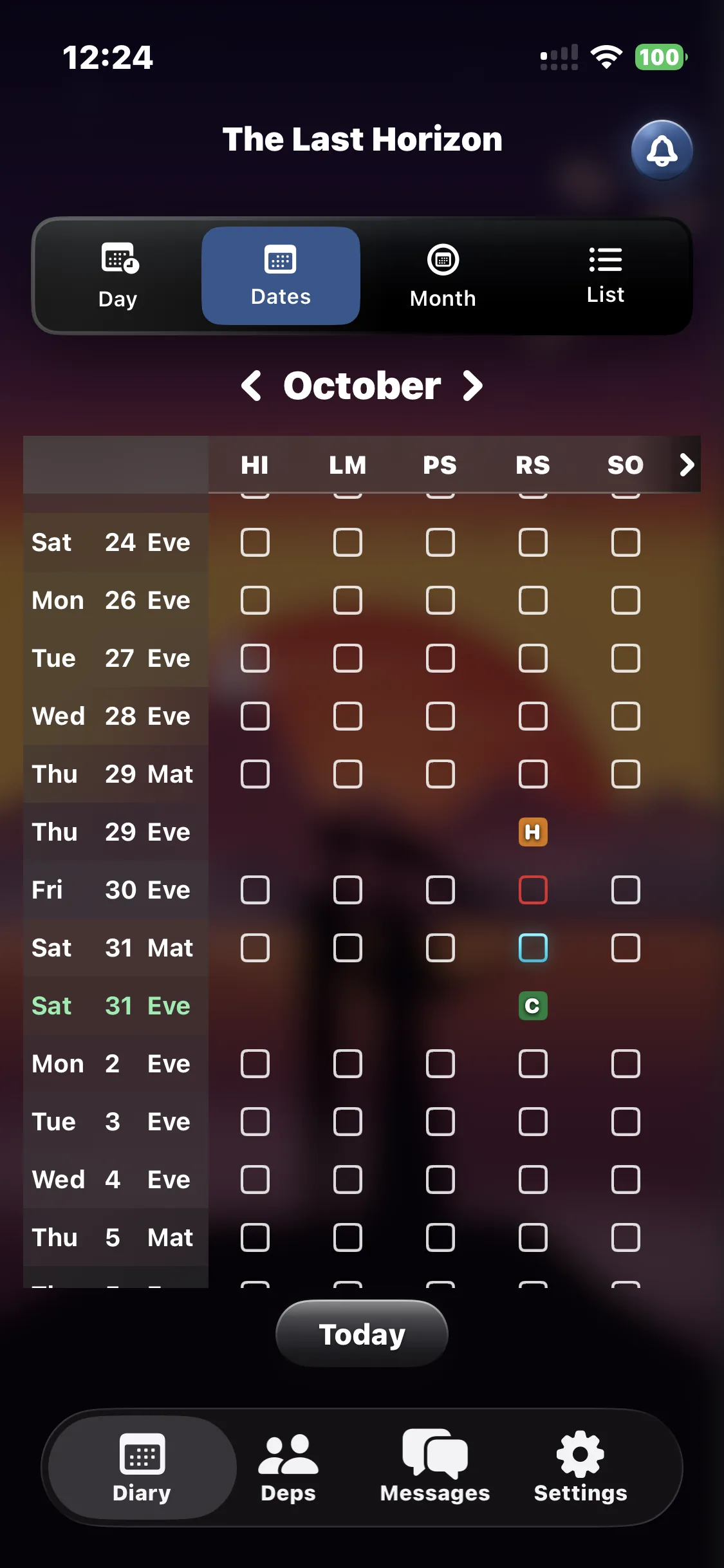
Blue means you're waiting to hear. Amber means they're holding it for you. Green means they're booked. Red means they're not available.
Pick your dates and your deps, and ShowBuz writes and sends every message for you. You check each one before it goes. Afterwards you can see that it went and what they said back. Every step is simple, clear and easy to look back on.
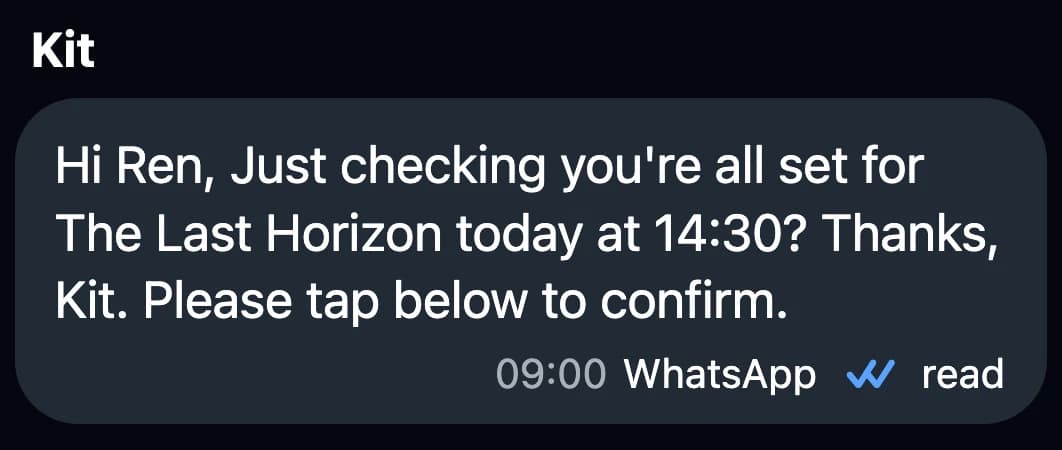
On the day
On the morning of the show, your dep gets a message to confirm they're on. If they haven't confirmed in two hours, you'll know, with time to spare.
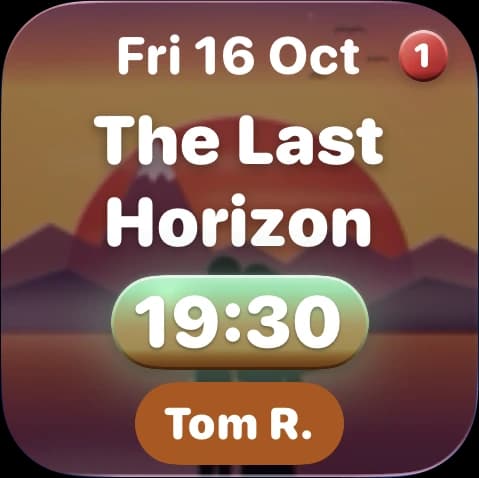
Home screen widget
Add the ShowBuz widget and you'll see your next show, its curtain times and who's covering, all without opening the app.
How it works
The app does the messaging. Your diary updates seamlessly.
1
Search for it once. Every evening show and matinee goes straight into your diary.
2
Tap the night and pick who you'd like. Ask if they're free, ask them to hold it, or book them. You'll see the message before it goes.
3
In the app, or straight from WhatsApp. Nobody has to download anything.
4
The night turns green when it's sorted. If someone's holding a date for you, it stays held until you decide. We'll nudge you 48 hours before, so nobody's left hanging.
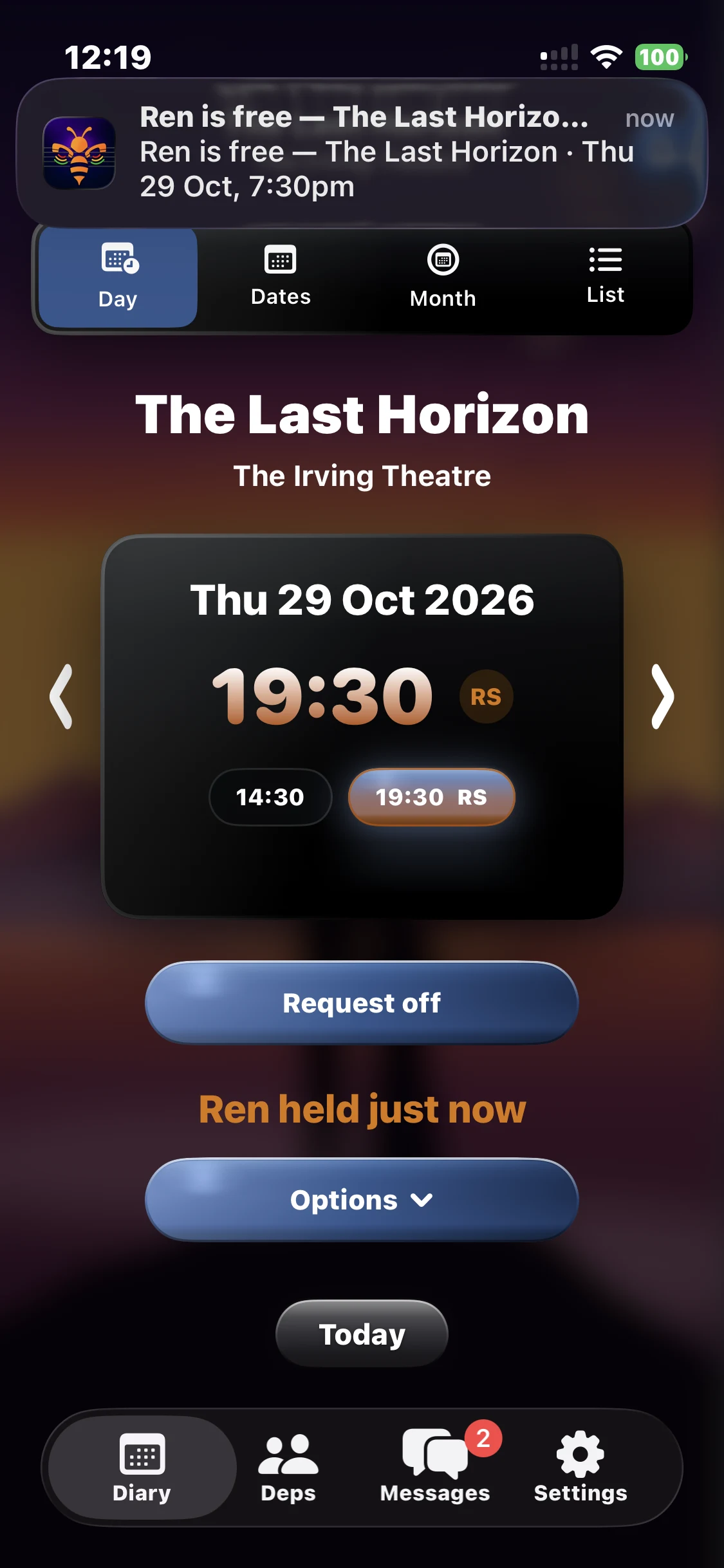
Same app
For Chair-Holders
Your show's diary is kept up to date every day, in town or on tour.
The Dates grid puts every show and every dep on one screen. Spot the gaps, tap a square, ask someone.
Every message shows up for you to check first. Happy? Tap send. Changed your mind? Tap ✕.
If a dep is holding a date for you, it stays until you book them or let them go, with a counter of how long they've been holding. One reminder 48 hours before the show, so no-one's left hanging.
Every show and every cover appears in your Apple or Google Calendar on its own. And if something in your own calendar clashes with a show, ShowBuz lets you know.
For deps
Every chair who books you, in one list. No more hunting through chats.
Stay there. Say yes, no, or hold it, right from the message.
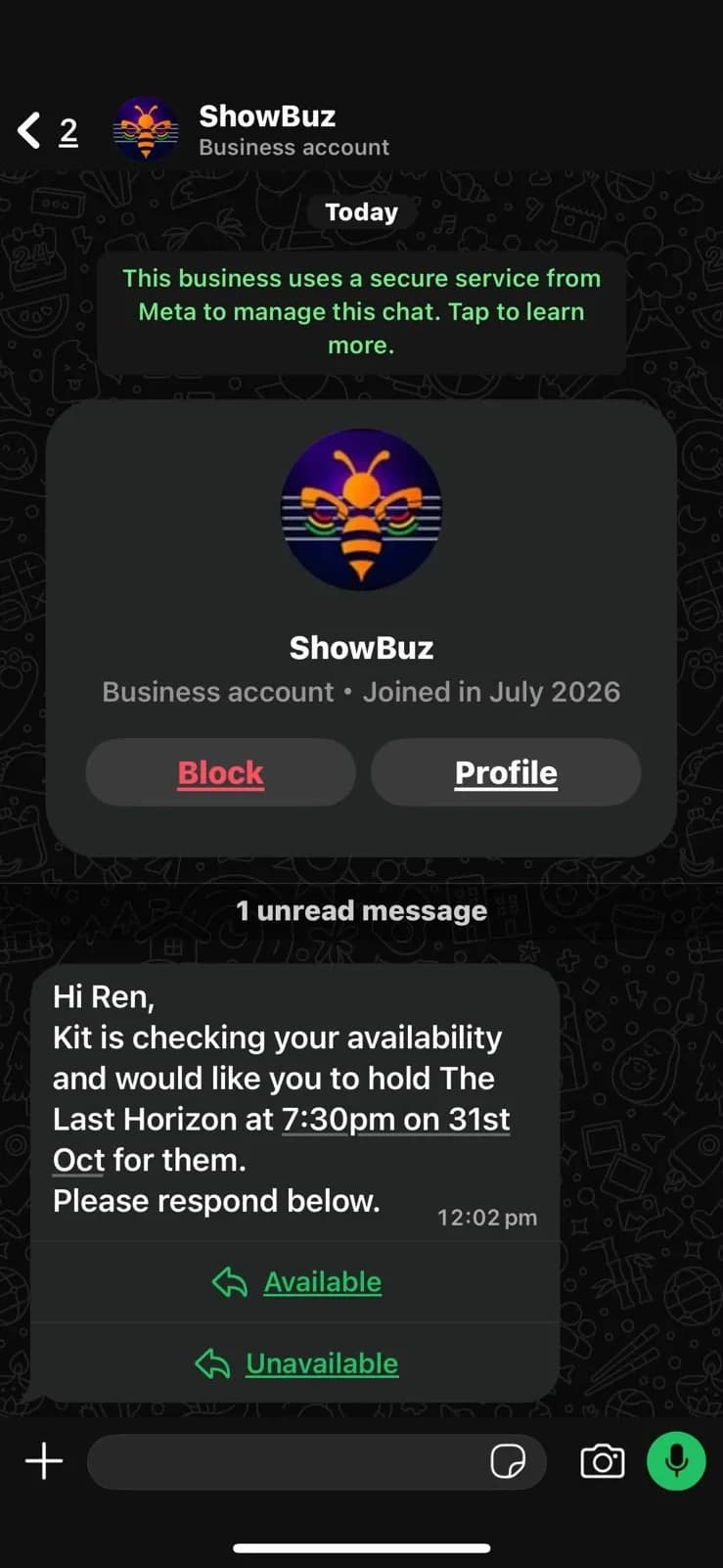
Same login, same app. Book your deps and take your own bookings.
Every booking lands in your Apple or Google Calendar. You can also choose to let chairs see when you're already busy, so they don't ask you for a night you can't do.
Grey ticks mean your message has gone. Blue ticks mean they've read it.
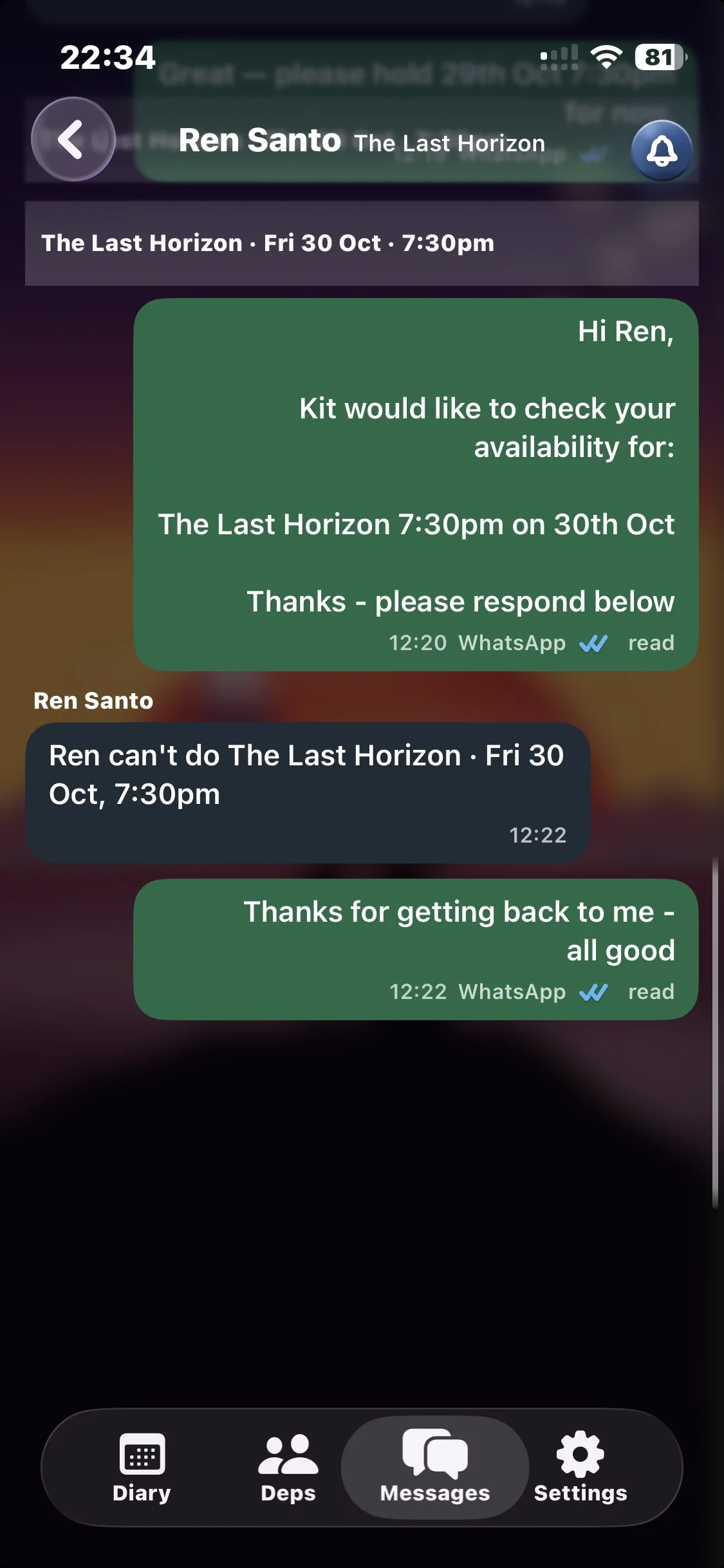
Honest answers

Get the app
Peace of mind at a glance.
Need a hand? admin@showbuz.app